This is the project my friend Sarah and I worked on for a month. The goal was to spend a month building a project using AI, and I knew exactly what I wanted to build from the start, because this is something I’ve wanted to use for over a decade now. Thanks Sarah for running along with me!
The goal is simple: make it as easy to live outside the walled gardens as it is to live inside them. Owning what you post is one half. Reading what other people post on the same site, without ever opening Mastodon, Bluesky, or a separate reader app, is the other half. Both should be a one-click install on a WordPress site you control.
I am more motivated by impact than money, and I know that Open Source is one of the most powerful ideas of our generation.
From the Automattic Creed
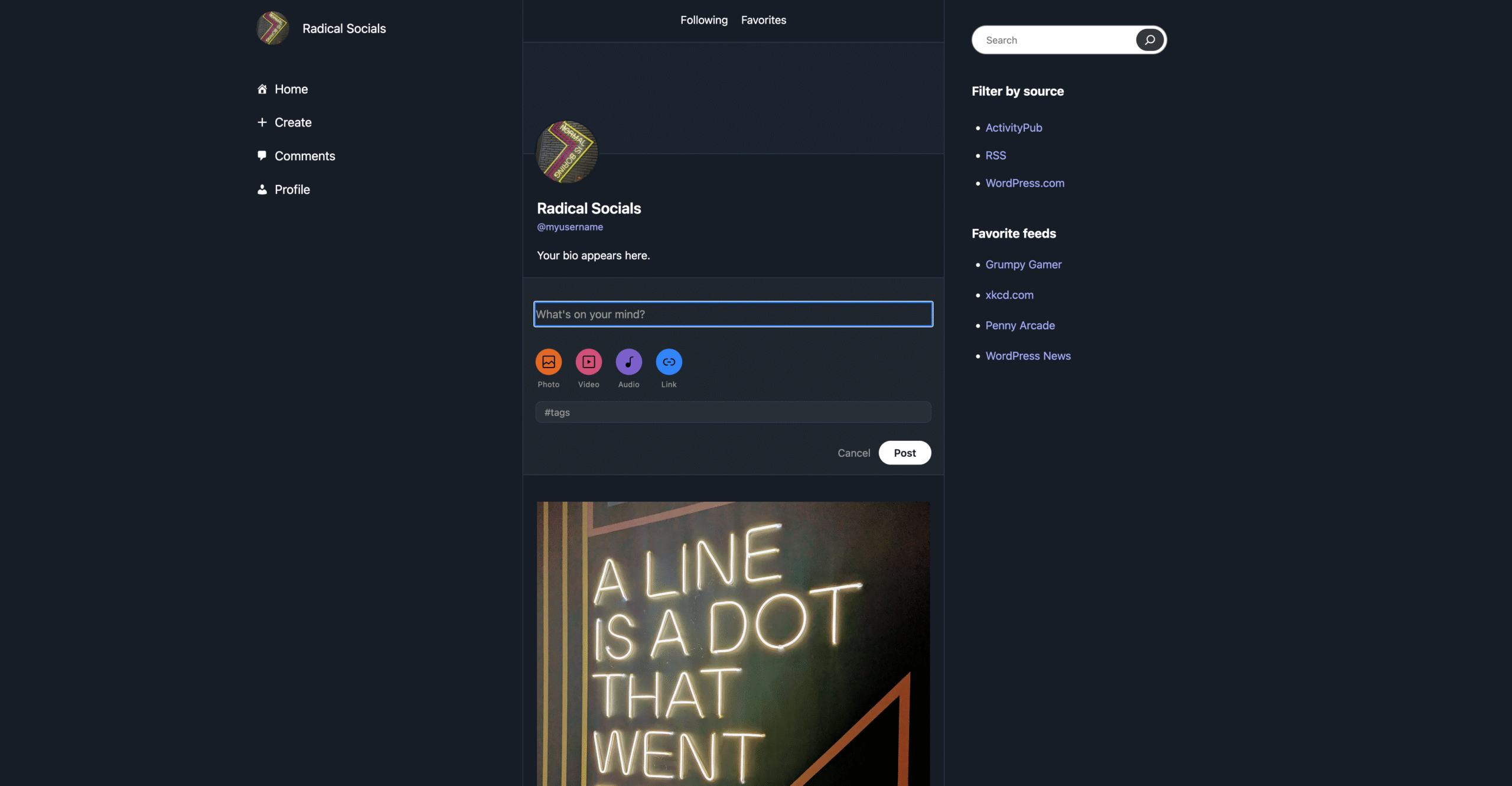
Heckl is fully open source. The theme has been approved on the WordPress.org directory and the plugin that adds the extra social features is waiting for review on the plugin directory, the code lives in public on GitHub. The walled gardens are a problem you can’t solve from inside another walled garden, so we built this one in the open from day one.
What shipped
A plugin (heckl-tools) and a companion block theme (heckl), both submitted to the WordPress.org repository and waiting on approval. They work independently and even better together. Zip files are attached to this post so anyone can install and test today.
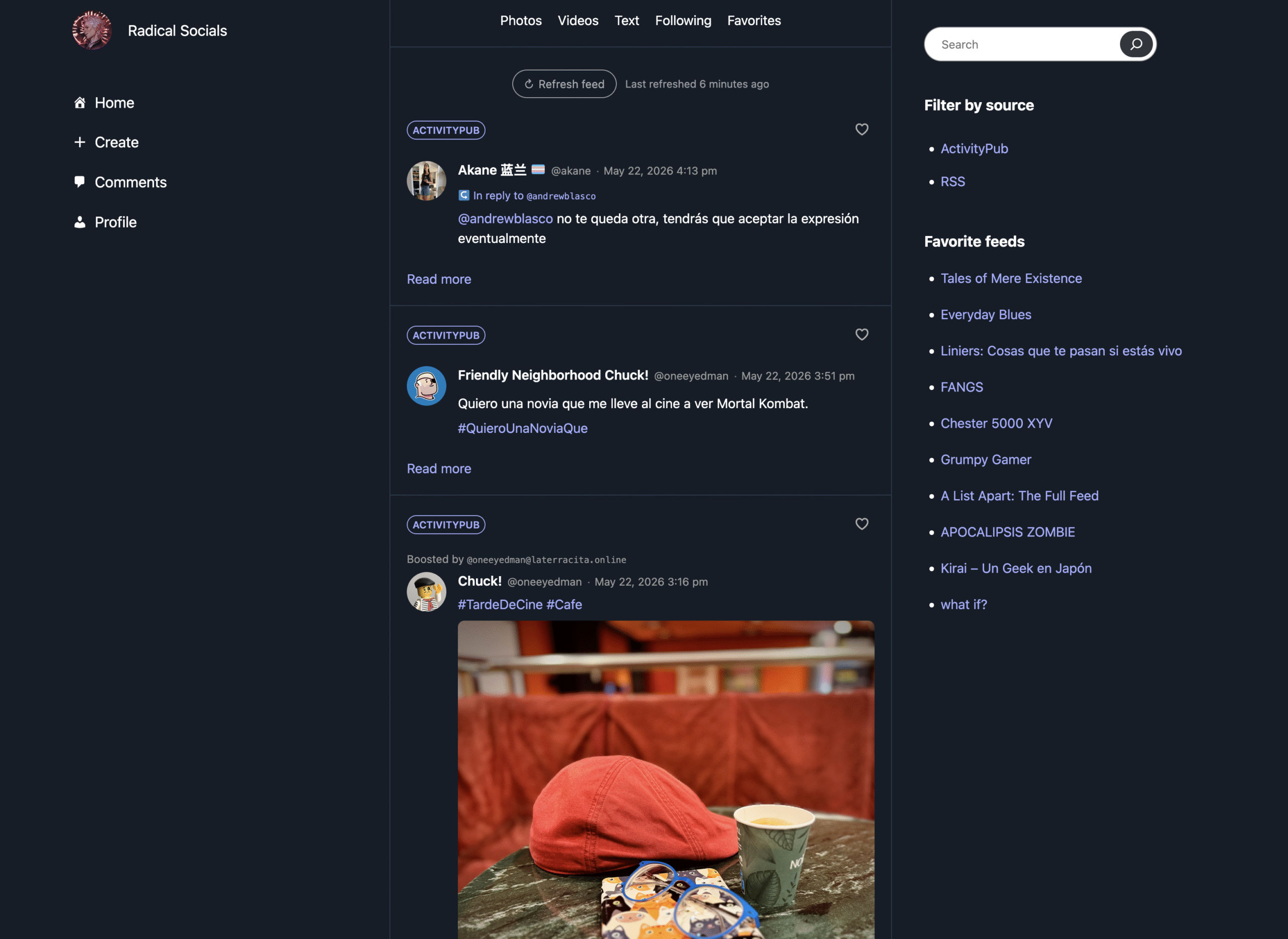
You get one Following timeline that pulls posts from across the open web (the Fediverse, RSS, and your WordPress.com Reader subscriptions) and renders them as social-style cards. The theme’s sidebar lets you filter by source when you want one type at a time. A Favorites list keeps the items you care about after the live feed rolls them off.
You also get a frontend post composer so people who have never used WordPress can publish without ever opening wp-admin, plus a Custom Bar (Home, Explore, Create, Profile) that replaces the WordPress admin bar on the frontend so the site feels like an app on top of the blog you still have.
What it gives you
If you want a real foothold outside the walled gardens today, your attention ends up scattered: a Mastodon account on someone else’s server, a Bluesky tab you keep open separately, an RSS reader running on its own, plus your blog that you only visit to post. Heckl brings all of that onto one WordPress site, on your own domain. The posts you write and the posts you read live in the same place, and you stop having to leave your site to keep up with the rest of the open web.
- One site, both halves. The site you post from is the site you read from. No app-switching between writing your posts and catching up on everyone else’s.
- All your sources in one timeline. Mastodon, Pixelfed, PeerTube, any RSS feed, and your WordPress.com Reader subscriptions, merged into a single stream on your site so you never have to open another app to keep up.
- No third-party account required. Install on any WordPress site. No WordPress.com signup, no other server, no proprietary identity. Your data stays on your domain.
- Plays well with the rest of the ecosystem. The ActivityPub plugin handles federation. This Instagram importer brings archives in if you are coming from Instagram. WordPress.com Reader subscriptions land in the same timeline as everything else.
- Use any theme. The plugin works on any active block theme. The companion theme is one design option you can pick if you want the full integration and look.
How to try it
You can test over at our demo site. It has a setting that lets anyone see the following feed. We thought that was an interesting feature that no social media has so we made it opt in.
You can also install the plugin and/or theme on your own site directly from the Github release page while we wait for the plugin to be approved in the directory.
- Install
heckl.zip(and optionallyheckl-tools.zip) on any WordPress site running 6.7 or newer, PHP 8.0+. - Recommended: also install the ActivityPub plugin so your site becomes a Fediverse identity and you can follow accounts on Mastodon, Pixelfed, etc.
- Walk through the onboarding wizard. Connect WordPress.com, add an RSS feed or two, write a post.
Feedback and bug reports very welcome. Drop them in the comments here, or open an issue on the GitHub repo.
What’s next
A few things we want to roll in after .org approval lands:
- Integrate the Instagram importer plugin so the “bring your archive across” flow lands alongside the reader as soon as the plugin is also approved in the directory.
- An Explore section so people can discover new blogs and accounts to follow without leaving the site.
- General polish from whatever user testing surfaces once people actually start installing it.
Leave a Reply